RTF to PDF Converter
Convert RTF to PDF right on this page: your .rtf document is read and laid out by your own browser, so the text never travels to a server and nobody asks for your email.
Converted on this device. Your files are never uploaded.
How it works
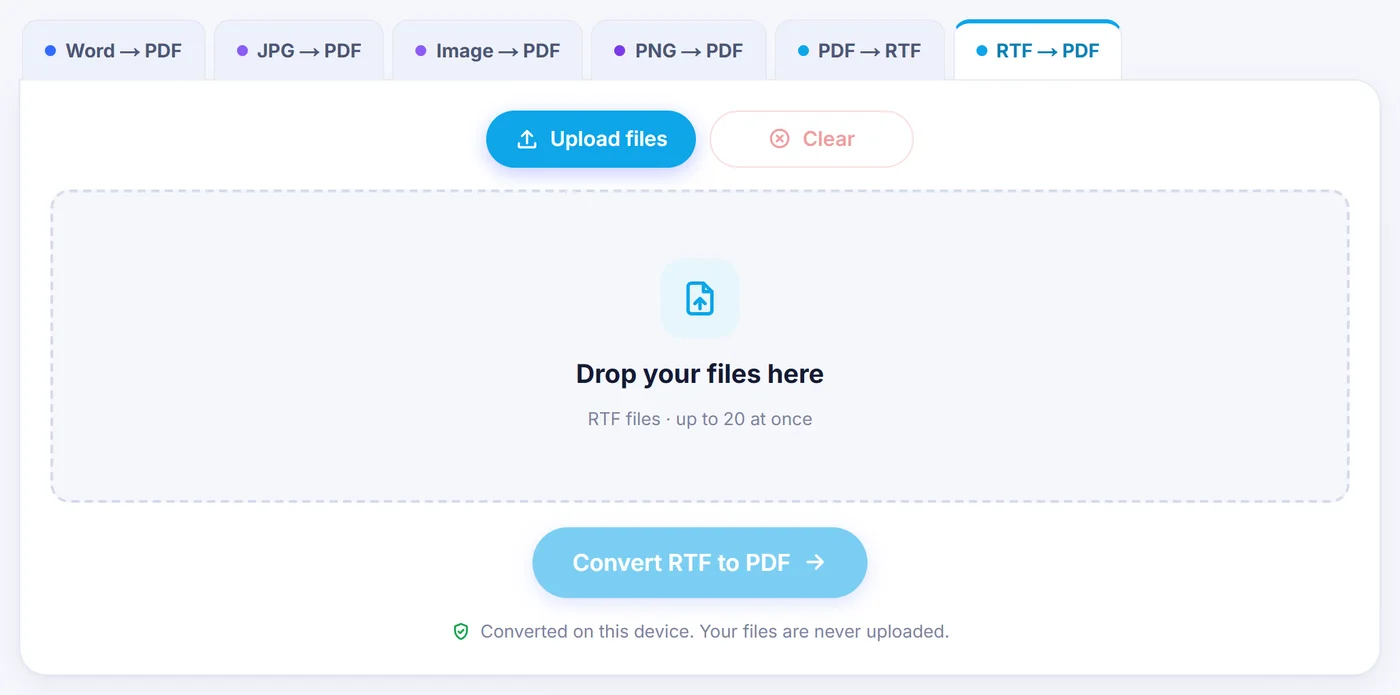
Drop in your RTF files
Add one document or a stack of up to 20; each appears as a card you can drag into a new order or remove.
Look at page one
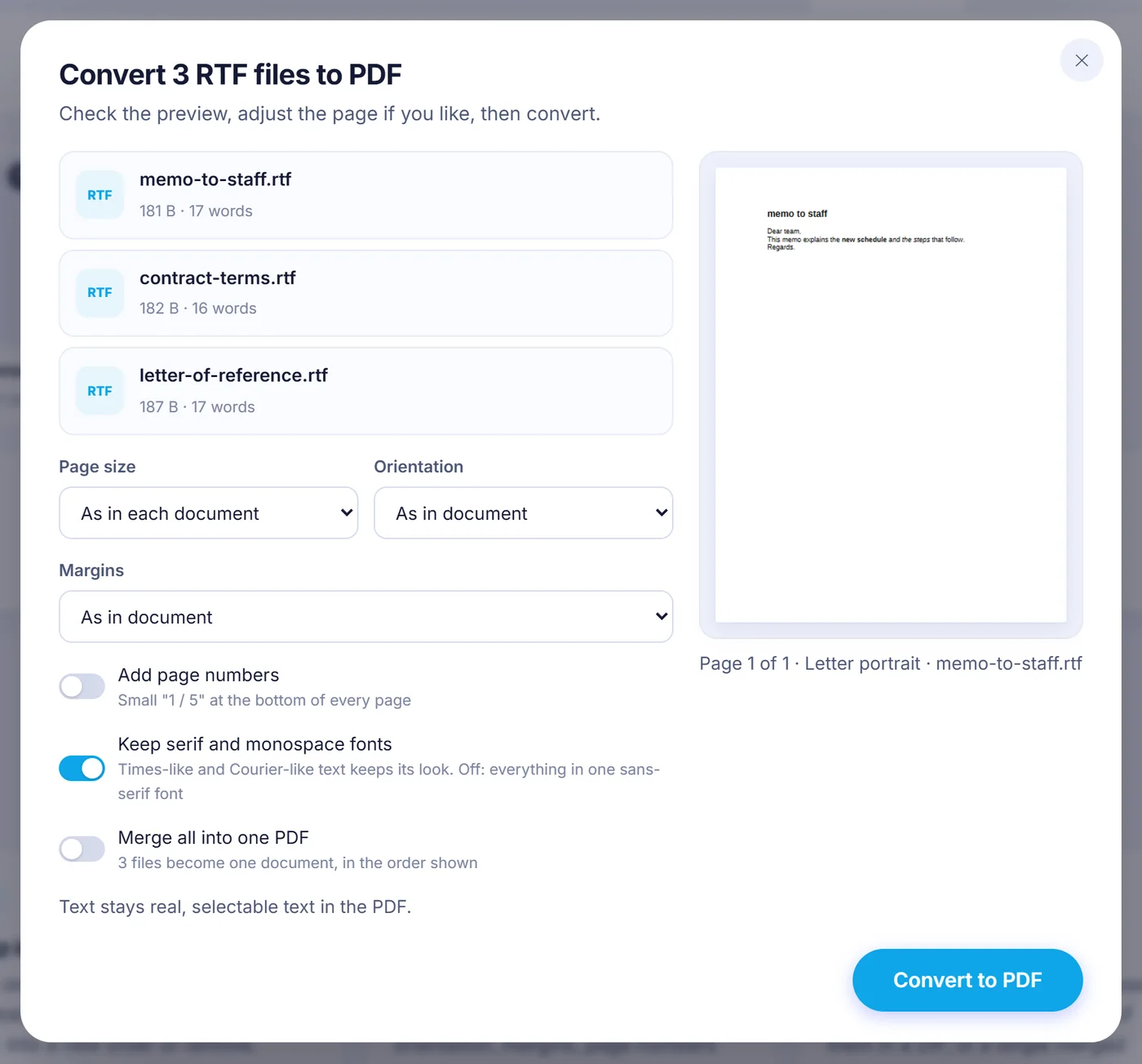
A live preview shows the first page while you choose paper size, orientation, margins, page numbers and font handling.
Save the PDF
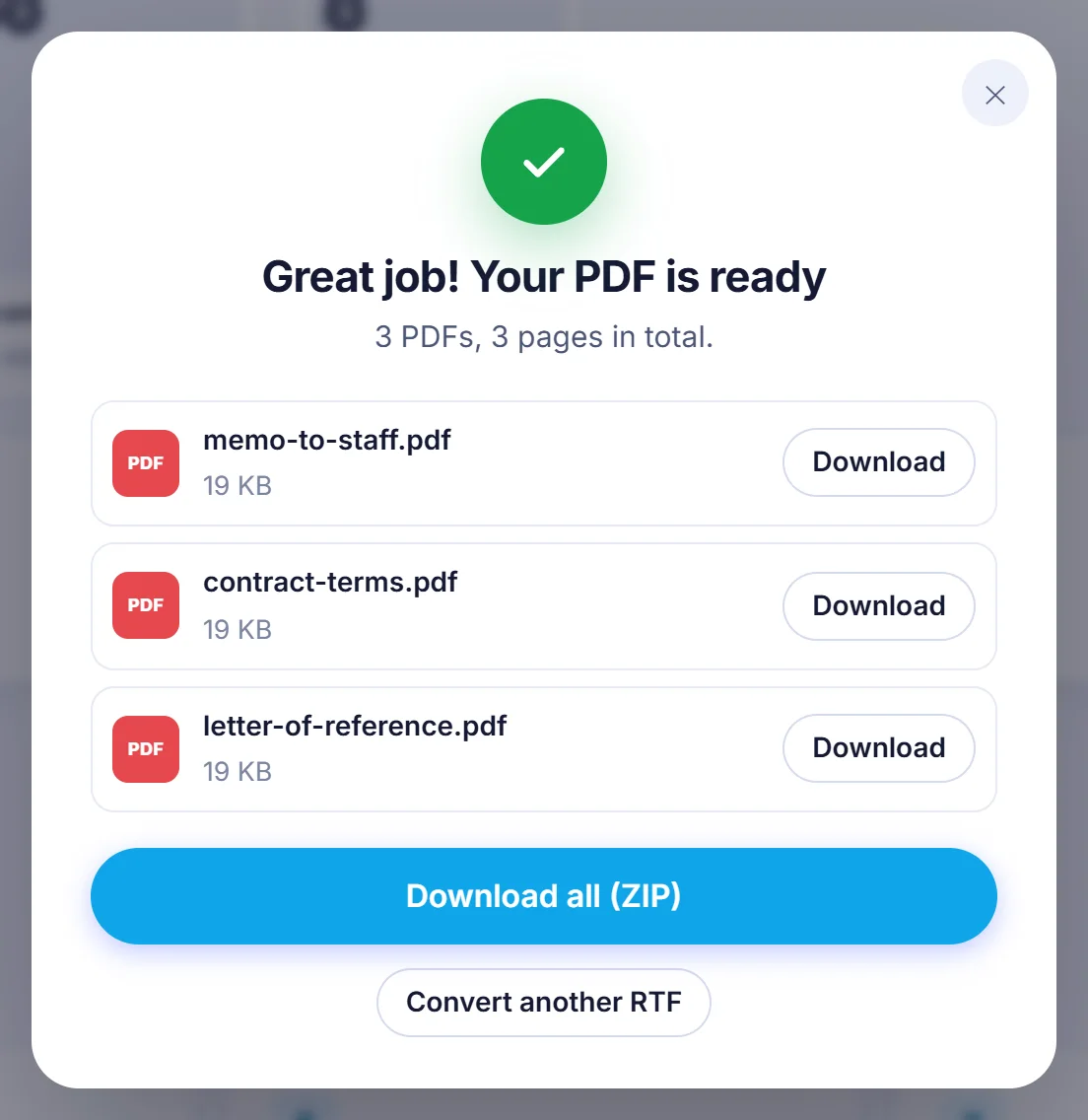
Press the button and download each PDF under its original name, all of them in a ZIP, or a single merged document.
Why people still turn RTF files into PDFs
Rich Text Format is the quiet survivor of office files. WordPad saved to it for decades, TextEdit on a Mac writes it, many legal and medical record systems export letters as .rtf, and plenty of older templates were never moved to anything newer. The trouble starts when you send one: the person opening it may see a different default font, shifted tabs or a table that has lost its borders, because every program reads RTF a little differently.
A PDF settles the question. The pages are fixed, the text prints the same everywhere, and the recipient does not need a word processor at all. That is why a cover letter, an invoice exported from accounting software or a signed-off report usually needs to go from RTF to PDF before it leaves your desk.
How the RTF to PDF conversion works on this site
There is no copy of your document sitting on our side. The converter is a JavaScript program that your browser downloads with the page. It reads the raw RTF code, rebuilds the paragraphs, tables and pictures, flows them onto pages and writes a fresh PDF in memory. When it finishes, the file goes straight to your downloads folder. Closing the tab throws away everything that was loaded.
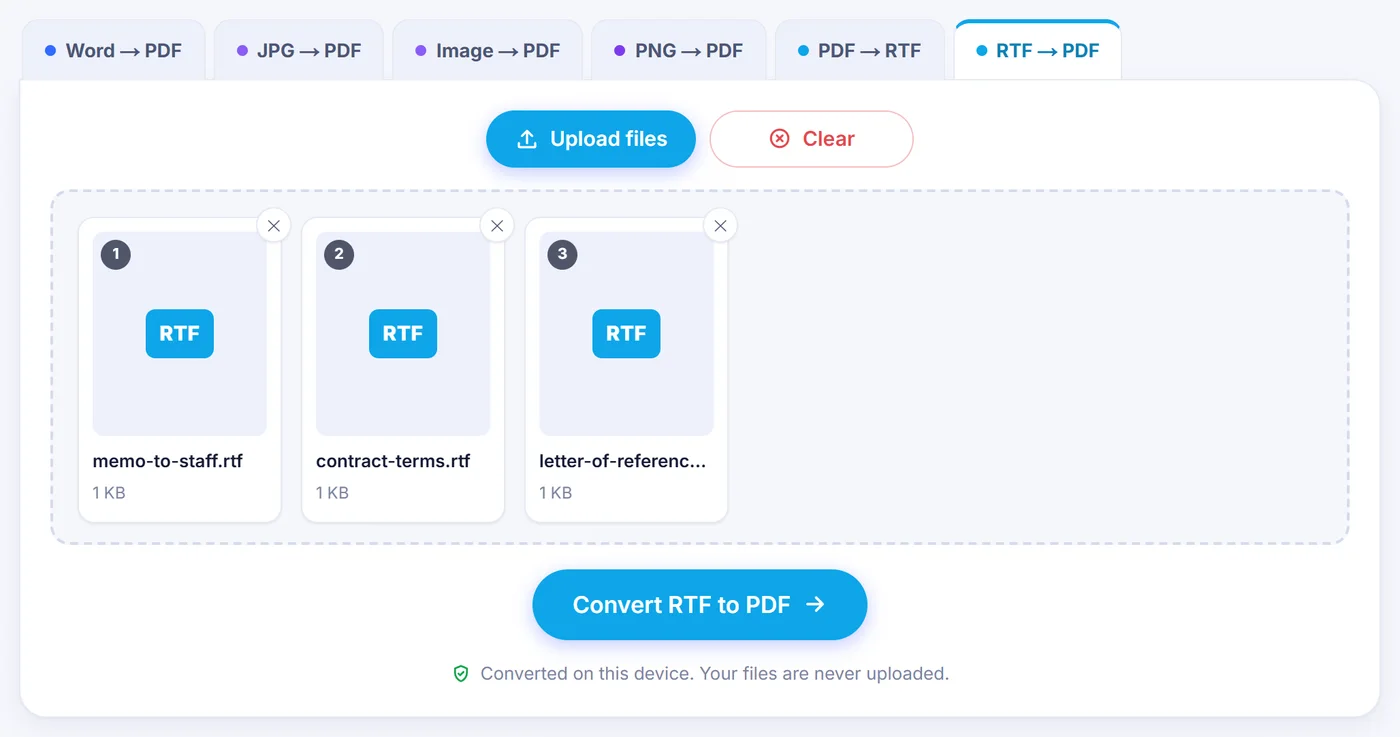
- Add the files. Choose them or drag them onto the page. A file that is really a renamed Word .docx, an old binary .doc or an existing PDF is spotted and left out with a short note explaining why.
- Check the preview. The dialog lists your documents with their word count and how many tables, images and links each holds, then draws page 1 of the first one as it will appear in the PDF.
- Adjust the page if needed. Every setting below can stay on its default, which copies what the RTF itself asks for.
- Convert and download. A progress bar runs through the documents one by one, and you can cancel at any moment.
The settings you can change
- Page size: keep the size stored in the document, or force A4, Letter, Legal, A5 or A3. Handy when a US Letter file has to be printed on European paper.
- Orientation: follow the document, or switch every page to portrait or landscape.
- Margins: use the document margins, pick Minimal (6 mm), Narrow (12.7 mm), Normal (25.4 mm) or Wide (38.1 mm), or type your own value from 0 to 100 mm.
- Page numbers: off by default; when switched on, a small "3 / 8" style label is printed at the bottom centre of every page. It needs a bottom margin of at least 5 mm to fit.
- Serif and monospace fonts: on by default, so Times-style and Courier-style text keeps its character. Turn it off and the whole PDF uses one clean sans-serif face.
- Merge into one PDF: appears when you add two or more files and joins them in the order of the cards.
What the PDF keeps from your RTF document
This is not a screenshot of your text. The output holds real vector text that you can select, copy and search. The sans-serif font is embedded in the file, and serif or monospace passages use the standard Times and Courier faces that every PDF reader already has.
- Bold, italic, underline (single and double), strikethrough, font sizes, text colour and highlighting, superscript and subscript. All-caps and small-caps text is printed in capitals.
- Left, right, centred and justified paragraphs, indents, hanging first lines, space before and after, and exact or multiple line spacing.
- Left, centre and right tab stops (decimal tabs act as right tabs), including dotted, dashed or underlined leaders, the kind used in a table of contents or a price list.
- Tables with their column widths, cell borders, shading, merged cells and vertical alignment. A long table carries on over the next page and repeats its header rows; a row too tall for one page is split.
- Embedded PNG and JPEG pictures at their intended size, shrunk only when they would not fit the page.
- Hyperlinks, which stay clickable in the PDF.
- Manual page breaks and section breaks, plus the title, author, subject and keywords from the document properties.
Text written in other alphabets is handled too. The reader understands the Windows code pages used by RTF, so Polish, Czech, Turkish, Greek, Russian or Ukrainian letters come out correctly instead of as stray symbols. Because the standard Times and Courier faces only cover Western European letters, a serif or monospace passage in another alphabet is set in the sans-serif font instead.
What can look different
Plain sans-serif text is set in Liberation Sans, which has the same letter widths as Arial; serif text uses a Times face and fixed-width text a Courier face. A decorative or brand font is therefore replaced by the closest of those three, and a line may break a word earlier or later than in Word.
Headers, footers, footnotes and comments are not printed in this version, paragraph and page borders are read but not drawn, and a layout in several newspaper-style columns is flowed as a single column. Hidden text and tracked deletions stay hidden. Pictures saved in old Windows formats (WMF, EMF or BMP) cannot be shown; the result screen tells you how many were skipped. Characters missing from the built-in font, such as many Chinese or Japanese symbols, may appear as empty boxes, and the converter lists them so you know where to look.
Tips for a clean result
- If a picture goes missing, open the file in your word processor, paste the image again as PNG or JPEG and resave as RTF.
- Want room for hole punching or binding? Choose Wide margins or a custom value instead of editing the original.
- Sending a bundle of letters to one person? Tick the merge option and they receive a single PDF called merged-rtf.pdf.
- A file saved as .rtf that turns out to contain plain text is still accepted and converted as simple paragraphs.
Common problems and quick fixes
"This file cannot be converted"
The name ends in .rtf but the content is something else. A renamed .docx belongs in a Word converter, and an old .doc file should be opened and saved again as .docx or .rtf first.
The page is slow on a phone
Everything happens on your device, so a very long document with many pictures depends on its memory. For files over 4 MB the preview stops after page one to stay quick, but the full conversion still runs. If the browser runs out of memory, close other tabs or split the document.
Private by design
There is nothing to sign up for and nothing to delete afterwards, because your RTF never left your computer. That matters for contracts, medical letters and anything else you would rather keep to yourself. It works in current versions of Chrome, Edge, Firefox and Safari on Windows, macOS, Linux, Android, iPhone and iPad.
Frequently asked questions
How do I convert an RTF file to PDF for free?
Add the .rtf file on this page, check the preview of the first page and press the convert button. The PDF is created in your browser and saved to your device, with no account and no watermark.
Is the text in the PDF searchable?
Yes. The converter writes real text, not an image of each page, so you can select, copy and search it in any PDF reader. No OCR is involved because the words come straight from the RTF code.
Can I convert several RTF files at once?
Yes, up to 20 at a time. You get one PDF per document, downloadable together as a ZIP, or you can merge all of them into a single PDF in the order you set.
Will tables and images from my RTF appear in the PDF?
Tables keep their borders, shading, merged cells and column widths, and PNG or JPEG pictures are embedded. Pictures stored in old WMF, EMF or BMP formats are skipped and the result screen tells you how many.
Can I change the page size from Letter to A4?
Yes. Choose A4, Letter, Legal, A5 or A3 in the page size menu, and set orientation and margins as well. By default the size stored in the RTF is used.
Are headers and footers kept when converting RTF to PDF?
Not at the moment: headers, footers, footnotes and comments are left out. You can switch on page numbers to add a small page counter at the bottom of each page.
Is my RTF document uploaded anywhere?
No. It is read and converted by JavaScript inside your browser and never sent to a server, so closing the tab removes every trace of it.